

How it works
Steeped at build time, poured at run time.
meltea-ppx sees every view at build time, turns its static part into a DOM template and emits the update code for it. What remains at run
time is what the compiled code calls, and only that: cloning a template, moving keyed rows, delegating events. No virtual DOM, no tree diff, no reactive
graph.
The glass
The static part becomes a template, parsed once.
The largest static subtree of every view becomes one HTML string, parsed once into a <template> and cloned withcloneNode(true) per mount. Every dynamic part is a hole: a text, an attribute, a handler, a child.
The compiler knows the shape of every template, so it writes out how to reach each hole on a fresh clone, firstChild andnextSibling only, sharing every step. The runtime keeps no paths and no tag tables.
View.template (Template.html "<p>a<!---->b<!----><b></b></p>") (fun scope p ->
  let n0 = Template.first p in
  let n1 = Template.next n0 in
  ...
(View.text_hole { parent = p; before = Template.next_or_end n0 }, ...))The pour
A refresh that writes only the holes whose values changed.
For every template the compiler emits the update code, as Svelte and dartea do. Each local the view reads is checked with one ===; only the holes that read a changed one are evaluated and written. Pure views and immutable values make this exact: an unchanged reference is an unchanged value.
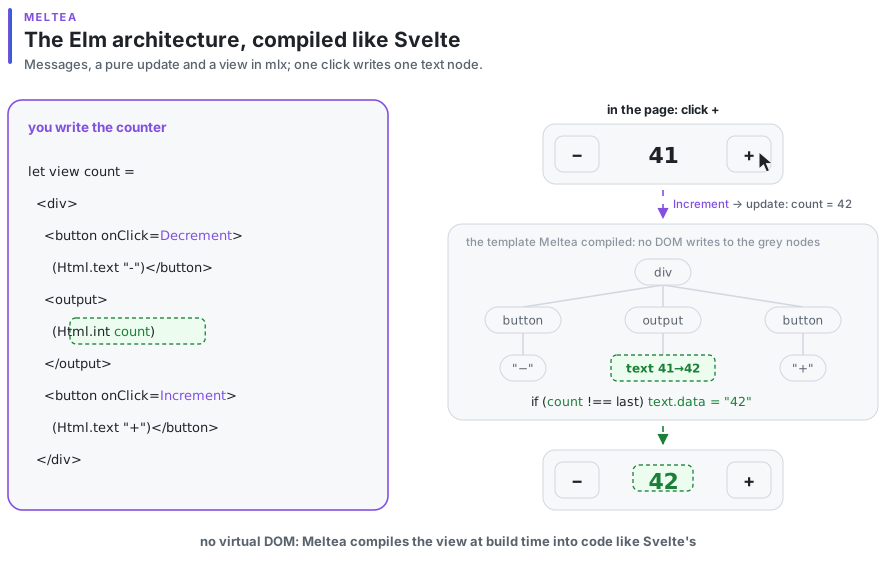
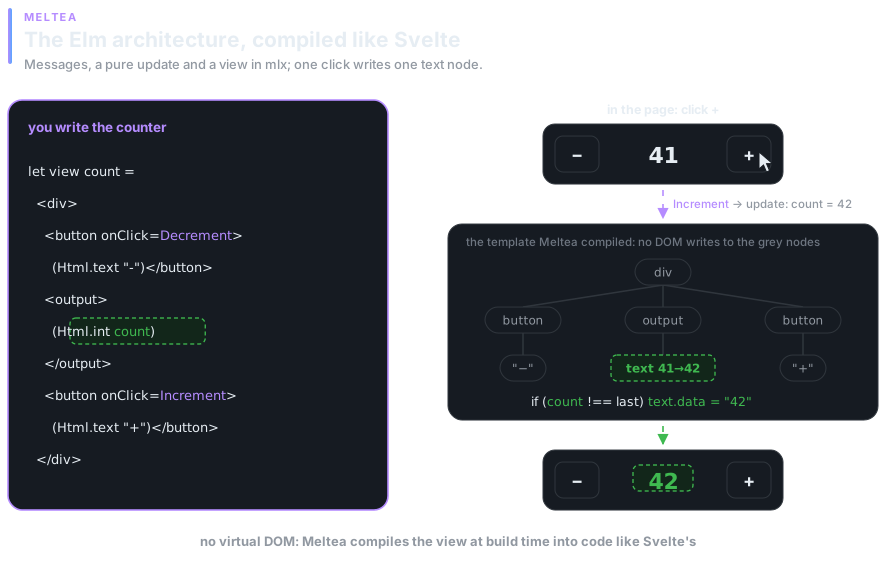
The counter's view compiles to this JavaScript (names shortened):
const template = View.template(Template.html("<div class=\"counter\"><button>-</button>…"),
  (scope, div) => {
    const minus = div.firstChild, output = minus.nextSibling, plus = output.nextSibling, …;
    return [handler_hole(scope, minus, "click"), text_hole({ parent: output, before: null }), …];
  });

const view = (count, dispatch) =>
  View.compiled(template, 2, (scope, holes) => {
    const sent = check(scope, 0, dispatch), counted = check(scope, 1, count); // one === each
    if (sent === Changed) set_handler(holes[0], () => dispatch(Decrement));  // first draw only
    if (counted === Changed) set_text(holes[1], String(count));
    …
});On mount nothing is remembered yet, so every hole is evaluated once. A hole whose free variables are all physically unchanged is neither evaluated nor compared, and a nested tree inside it is not built at all. An expression that reads mutable state is evaluated on every render.
Who writes what
A message that changes nothing the view reads does not call the view.
meltea-ppx reads update the way Svelte 4 reads assignments. For every message it finds which model fields the branch can change: { model with draft } changes draft, model changes nothing, anything it does not recognise changes everything. It reads view the same way. Both become bit masks over field names, generated next to update andview; nothing goes into your code.
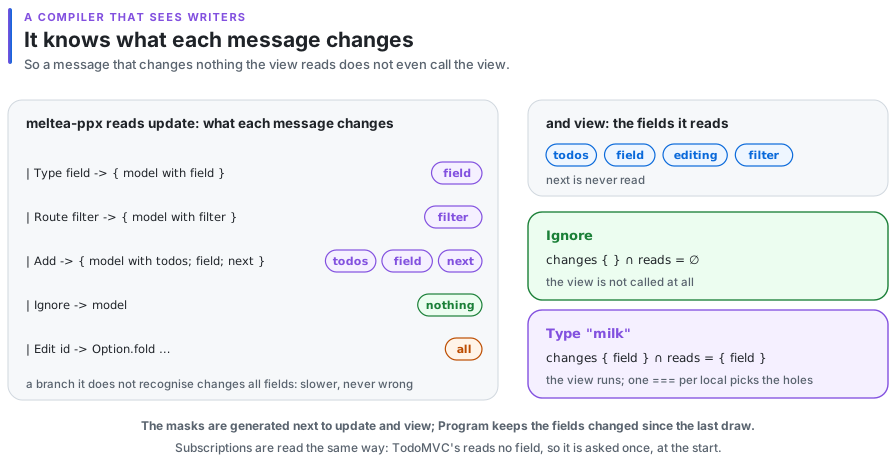
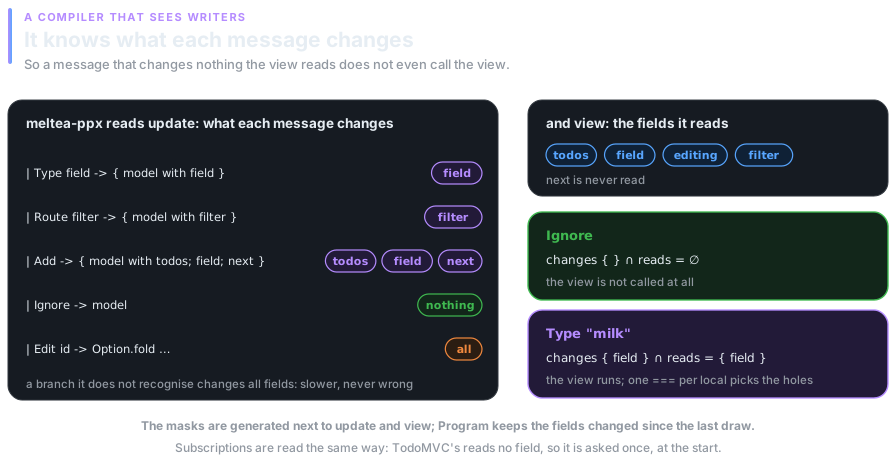
subscriptions is read the same way: a program asks for them again only when a field they read changed. TodoMVC'sfun _ -> Sub.hash … reads none, so it is asked once, at the start.
Kept warm
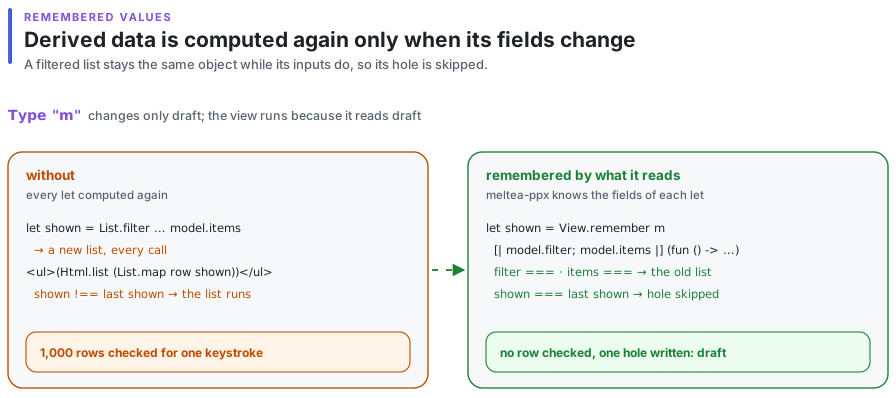
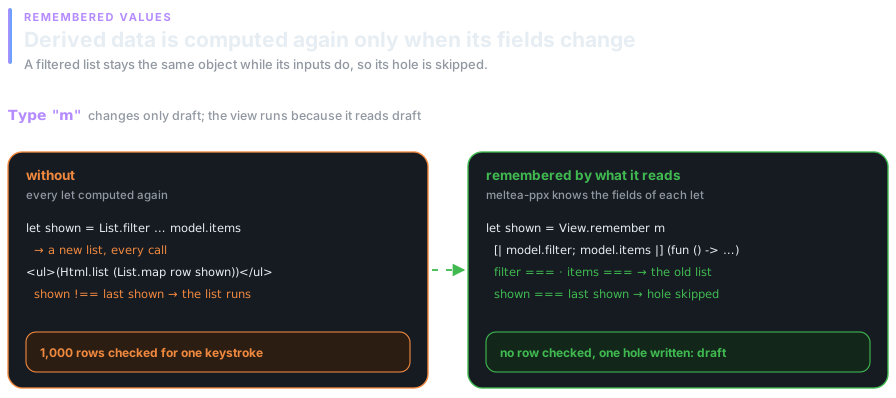
Derived values are remembered by the fields they read.
A let at the top of a view, let shown = List.filter … model.items, builds a new list on every call, and a new list fails the=== of every hole that reads it. meltea-ppx compiles such a let to View.remember, keyed by the fields and locals it reads: when every input is the one the value was computed from, the old value comes back, the same object, and the holes that read it are not evaluated.
A word from the compiler
Fanout: when typing would make a list check every row.
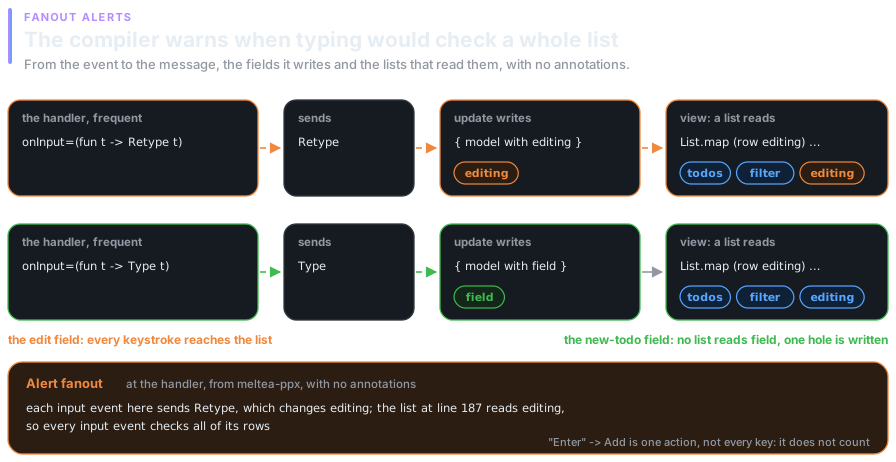
The same reading gives the compiler the whole path of an event, with no annotations: a handler sends a message, the message's branch ofupdate writes fields, and a list in view reads some of them. When a frequent event (onInput, key and pointer moves, scroll, drag) sends a message whose fields a list reads, meltea-ppx says so at the handler, as an alert namedfanout:
File "todomvc.mlx", line 142, characters 19-44:
142 |            onInput=(fun text -> Retype text)
                         ^^^^^^^^^^^^^^^^^^^^^^^^^
Alert fanout: each input event here sends Retype, which changes editing;
the list at line 187 reads editing, so every input event checks all of its rows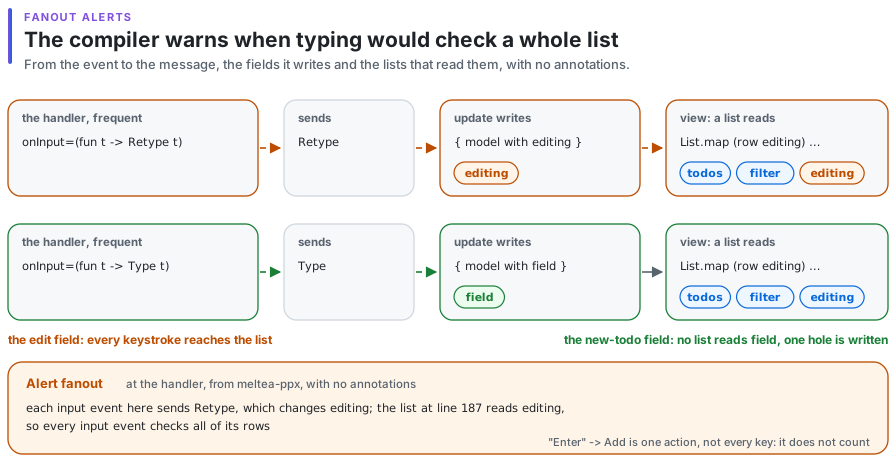
Branches of a key handler matched on a literal key ("Enter" -> Add) are single actions and do not count. The alert is a compiler warning, not an error; (handler [@alert "-fanout"]) keeps it quiet where the cost is accepted. It compiles to nothing.
A tray of glasses
Rows render again only when what they read changed.
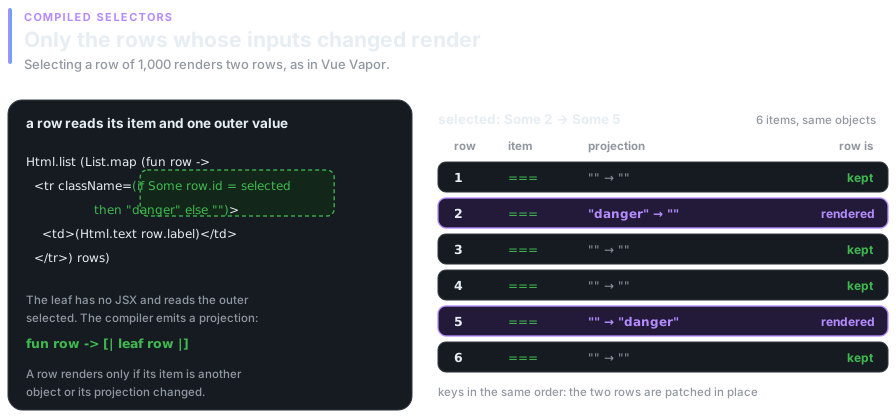
Html.list (List.map row items) compiles to a keyed loop. As in Vue Vapor's selectors, the compiler splits a row into its item and its leaves, the smallest pieces without JSX that read outer variables, for example
match selected with Some id when id = item.id -> "danger" | _ -> ""and emits a projection that evaluates only those. A row whose item is the same object and whose projection did not change is kept without calling the row function: selecting a row of 1,000 renders two.
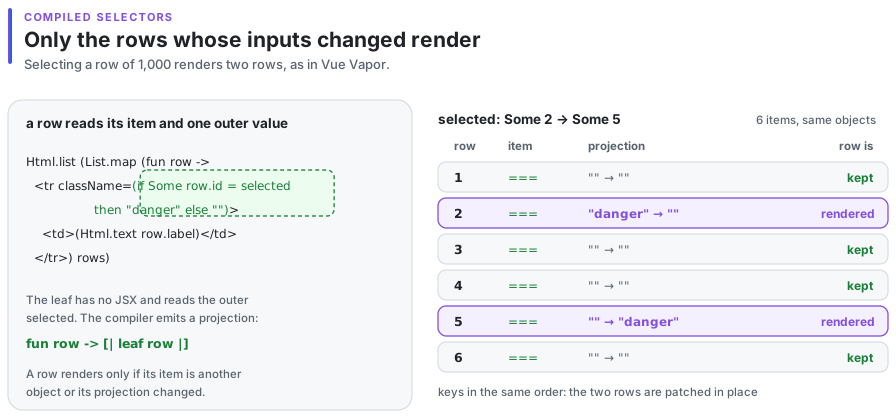
Keyed rows that move are moved with parentNode.moveBefore where the browser has it, so a focused input, a playing video, an iframe or a running CSS animation inside the row survive the move; elsewhere it is insertBefore. Swapping two rows of 1,000 is two moves.
Light glasses
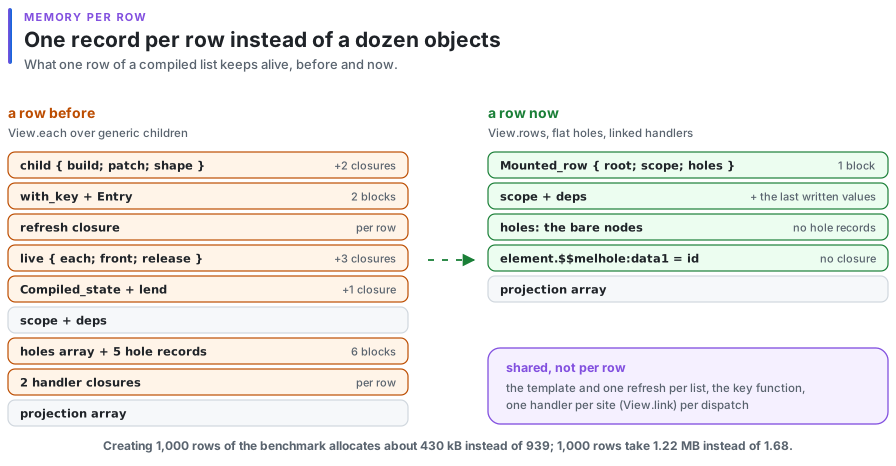
A compiled row is one record.
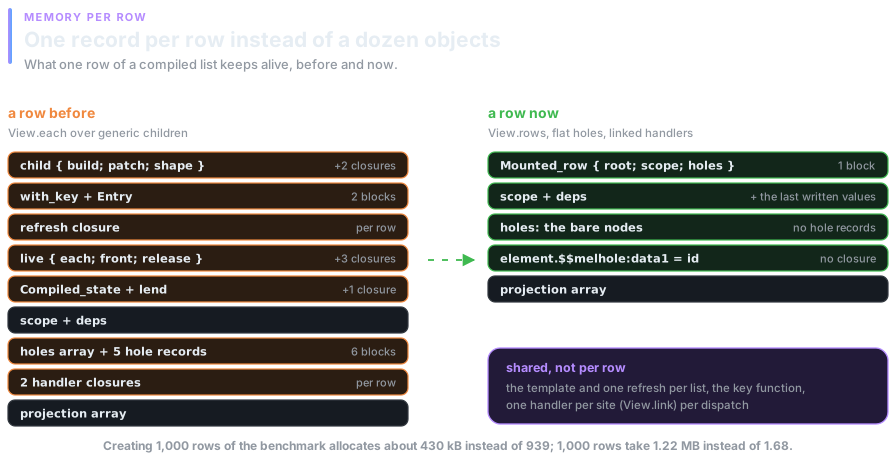
When a row is a single lowercase element with a key, the compiler emits View.rows: one record per row with its root, scope and holes, holes that are the bare nodes, and the last written values kept next to the guarded locals. In Meltea an event prop is a message, so the compiler hoists one handler per site to module level; the element carries only the locals the message reads, and the shared handler builds the message when the user clicks.
Sip by sip
Pacing, as the Elm runtime does.
A program draws at the next microtask after a message, so every click and keystroke is on screen before the browser paints. Pointer moves, scroll, wheel and drag fire many times a frame; a message they send waits for the next animation frame, so a burst of moves is one draw. A click in between draws at once.
What you see is the model
Controlled inputs always show the model.
value and checked are properties the user changes too. They are controlled holes: after an input orchange event, and the redraw it causes, the hole puts its last written value back if the DOM differs. An update that rejects or filters the text keeps the field in step with the model.
Served on the server, finished in the browser
Hydration in React's HTML format, with early events.
Program.render writes HTML in the format of React's renderToString: no markers, a <!-- --> comment only between two adjacent texts. ~start:Program.hydrate takes it over in document order with code the compiler generates for each template under its -hydratable flag: it keeps the server's elements and sets handlers. HTML that does not match the view is replaced by a normal mount.
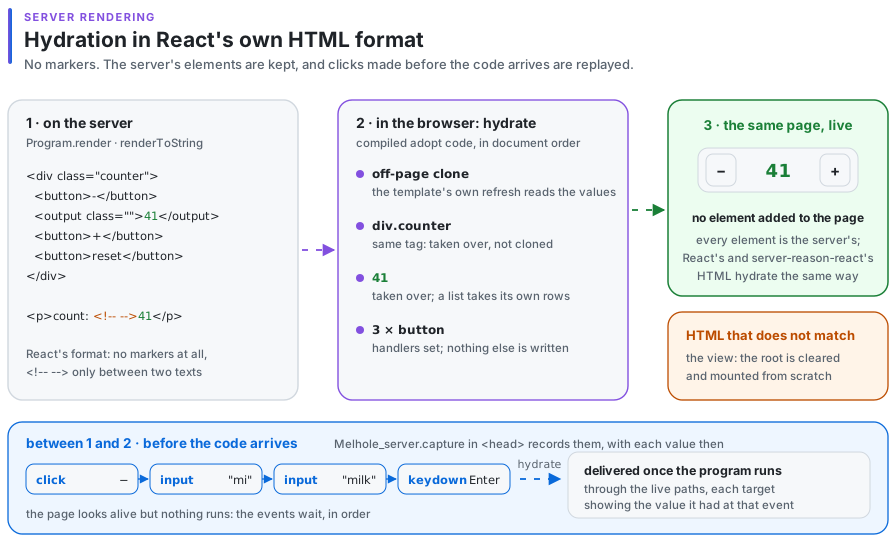
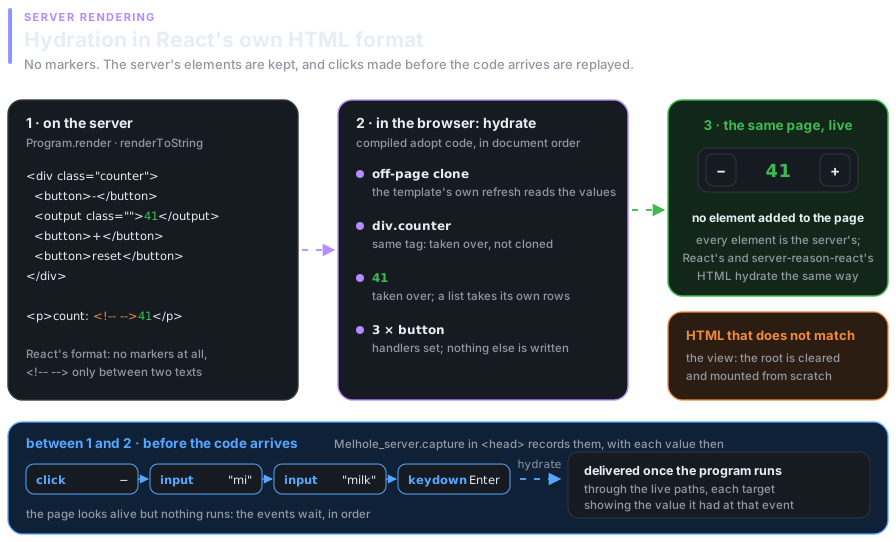
Between the server's HTML appearing and the code hydrating it, a page looks alive and is not. Melhole_server.capture, a script of a few hundred bytes for the page's <head>, records clicks, typing, key presses and submits with each target's value andchecked at that moment; the first hydration delivers them in order.
No DOM required
A server renderer in plain OCaml, natively or in Node.
Under meltea-ppx -server a view compiles to code that writes its HTML: the static markup of each tree is joined at compile time into as few strings as possible, and every dynamic part becomes one call into melhole.server, a library of plain OCaml that builds natively and under Melange. For the counter:
Melhole_server.markup w "<div class=\"counter\"><button>-</button><output";
Melhole_server.attribute w "class" (Some (if count < 0 then "negative" else ""));
Melhole_server.markup w ">";
Melhole_server.dynamic_text w (string_of_int count);
Melhole_server.markup w "</output><button>+</button><button";
Melhole_server.attribute w "disabled" (if count = 0 then Some "" else None);
Melhole_server.markup w ">reset</button></div>"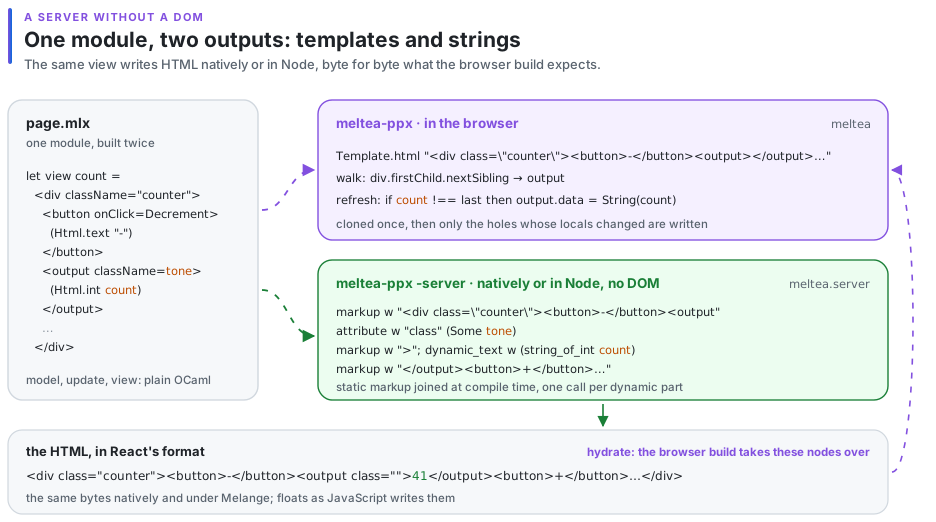
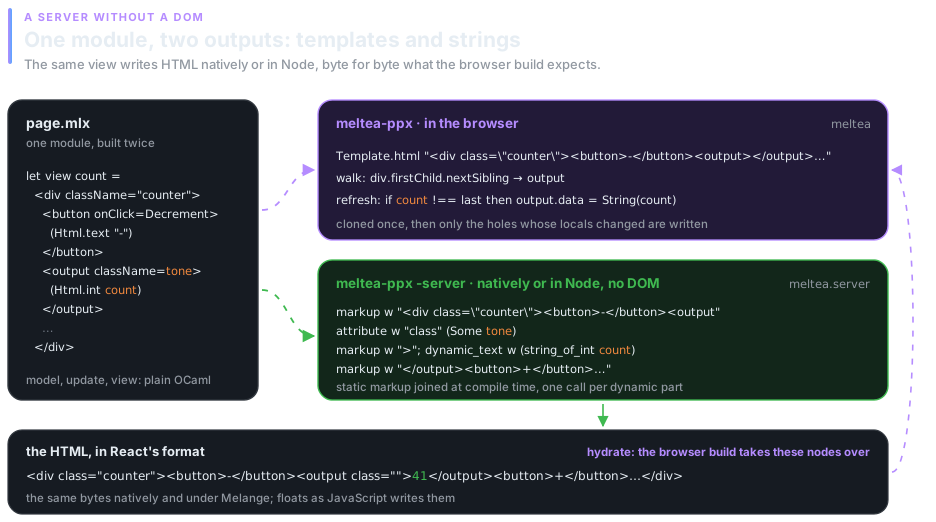
meltea.server has the same Html, Cmd, Sub and Program modules as meltea, so one module with the model, update and view builds twice. Floats are written as JavaScript's String writes them, so a native server and the browser agree. The model goes into the page as data, so the browser starts from it without runninginit again.
Served hot
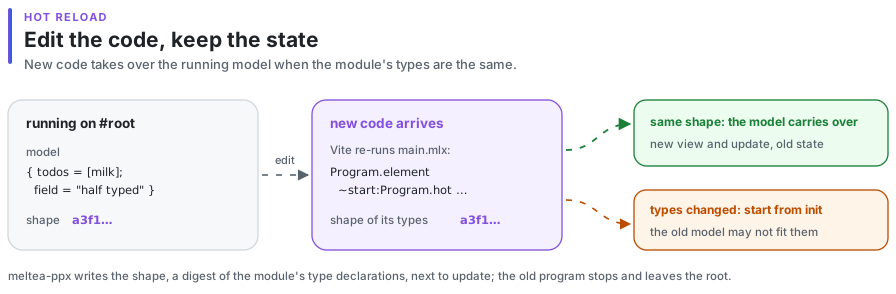
Hot reload keeps the model.
A model lives outside the code, so new code can take it over, as elm-watch does. meltea-ppx writes a shape next to update: a digest of the type declarations of its module. ~start:Program.hot finds the program running on the root and starts from its model when the shapes are the same, or from init when the types changed.
Graceful
Transitions and View Transitions.
Html.transition ~name and Html.transition_group ~name animate what enters, leaves and moves with CSS classes, as Vue's<Transition> and <TransitionGroup>; a list inside a group is still the compiled keyed loop with selectors. The code lives in melhole's Transition module, so an app that does not animate does not carry it.
let view model =
  <ul className="todo-list">
    (Html.transition_group ~name:"fade" (Html.list (List.map row (visible model))))
</ul>.fade-enter-from, .fade-leave-to { opacity: 0; }
.fade-enter-active, .fade-leave-active, .fade-move { transition: all 200ms; }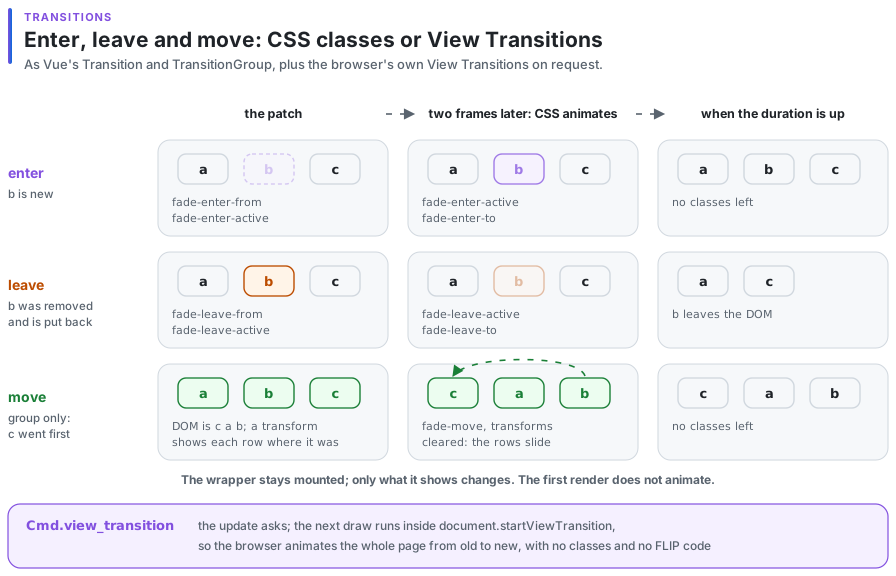
Cmd.view_transition, returned by an update, makes the next draw run inside document.startViewTransition, so the browser animates the whole page from the old state to the new one; where the API is missing, the draw is as usual.
Tested by laws
Property-based tests, not scenarios.
Accepted only with these holding:
- Equivalence: a guarded refresh renders the same DOM and runs the same effects as an unguarded one.
- Guard soundness: a hole is evaluated whenever one of its free variables changed.
- Guard economy: a hole whose free variables are all unchanged is not evaluated.
- Volatility: a hole that reads mutable state is evaluated on every render.
- After any sequence of messages, the DOM is the view of
fold update init messages. - Keyed loops reuse a row exactly when its item and projection are unchanged, and patching always shows what mounting from scratch shows.